Finding the right project management software is not always about picking the platform with the most capabilities. Instead, it comes down to operational alignment: an agile engineering team tracking sprint velocity needs fundamentally different architecture than an innovative agency balancing billable client hours or an operations team managing interconnected spreadsheets.
Today’s exceptional project management software solutions stand out through custom automation, flexible perspectives, native AI capabilities, and scalable data models. Below is an in-depth breakdown of the top 10 options on the market, covering core functions, typical pricing tiers, and practical pros and cons that will help you select the right platform for your team.
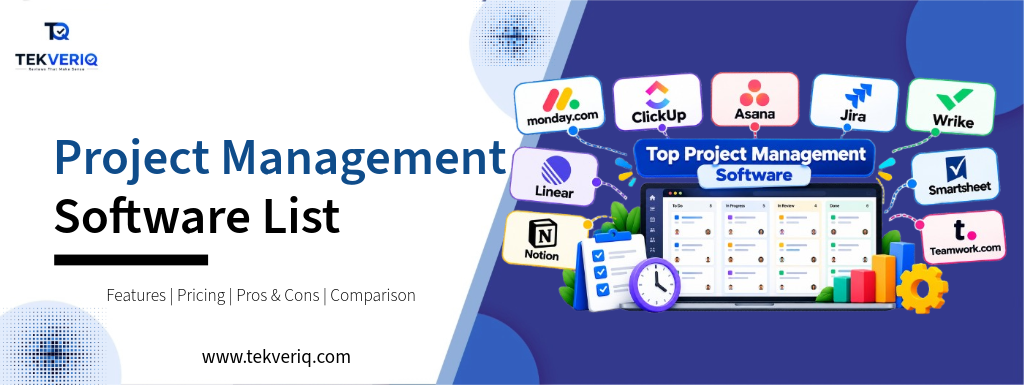
Quick Comparison: Best Project Management Software at a Glance
| Project Management Software | Starting Price (Billed Annually) | Free Plan? | Primary Target Audience | Standout Advantage |
|---|---|---|---|---|
| monday.com | ~$9 / seat / month | Yes (up to 2 seats) | Cross-functional & marketing teams | Highly visual, modular board columns & no-code automations |
| ClickUp | ~$7 / seat / month | Yes (unlimited members, feature caps) | Fast-growing teams needing an all-in-one suite | Massive feature density, native Docs, and flexible hierarchy |
| Asana | ~$10.99 / seat / month | Yes (up to 10 seats) | Strategic cross-team project delivery | Visual timelines, goal tracking, and workload balancing |
| Jira | ~7.50–8.15 / seat / mo | Yes (up to 10 seats) | Agile software development & DevOps | Native Scrum/Kanban, JQL search engine, and Git syncing |
| Wrike | ~$10 / seat / month | Yes (unlimited seats, task-capped) | Enterprise operations & creative agencies | Dynamic intake forms, native file proofing, and 3-pane UI |
| Linear | ~$8 / seat / month | Yes (up to 250 active issues) | High-velocity software product teams | Keyboard-first, zero-lag UI with opinionated cycles |
| Notion | ~$10 / seat / month | Yes (unlimited blocks for solo) | Knowledge-heavy & documentation-first teams | Relational databases paired with customizable wiki docs |
| Smartsheet | ~$9 / seat / month | No (30-day free trial) | Operations & spreadsheet-centric teams | Excel-like grid power backed by enterprise automation rules |
| Teamwork.com | ~$10.99 / seat / month | Yes (up to 5 seats) | Client-facing agencies & consultancies | Native billable time tracking, invoicing, and client portals |
| Basecamp | $15 / seat or $299 flat | No (30-day free trial) | Distributed teams seeking simple coordination | Flat-rate pricing, centralized message boards, and check-ins |
1. monday.com: Best Project Management Software for Visual Customization
monday.com is a visual, modular project management software built on color-coded board that adapts to nearly any department, from innovative marketing to HR onboarding and sales pipelines.
Core Features
- Customizable Column Types: Choose from over 30 column types (status labels, dates, people, dropdowns, formula fields, and progress trackers).
- Multi-View Engine: Switch among Table, Kanban, Gantt/Timeline, Workload, and Calendar perspectives with one click.
- No-Code Automation Builder: Construct visual “If [Trigger] Then [Action]” recipes to notify team members, move rows between forums, or replace statuses routinely.
- Monday AI Assistant: Summarizes complicated task threads, drafts action items, and generates formula syntax without delay in desk cells.
Pricing & Plans
- Free: $0 for up to 2 seats (3 boards, 200+ templates, 8 column sorts).
- Basic: $9/seat/month (billed yearly; 3-seat minimum); unlimited items, 5 GB storage, prioritized support.
- Standard: $12/seat/month (billed yearly); adds Timeline/Gantt views, Calendar view, guest access, and 250 automation/integration actions/month.
- Pro: $19/seat/month (billed annually); private boards, time tracking, formula columns, dependency monitoring, and 25,000 movements/month.
- Enterprise: Custom quote; enterprise security, multi-degree permissions, and advanced reporting.
Pros & Cons
- Pros: Highly intuitive interface; quick onboarding for non-technical users; robust pre-built automations.
- Cons: Strict 3-seat minimum on paid tiers; time tracking and dependencies require the higher-priced Pro plan.
2. ClickUp: Best Budget All-in-One Project Management Software
ClickUp is an all-in-one project management system designed to replace disparate workflow apps by bundling responsibilities, documents, spreadsheets, whiteboards, chat, and goal tracking together.
Core Features
- Granular Hierarchy: Organizes work into Workspaces > Spaces > Folders > Lists > Tasks > Subtasks > Checklists.
- Native Docs & Whiteboards: Full rich-text document editing and real-time visible whiteboarding at once, incorporated with tasks.
- 15+ Custom Views: Includes List, Board, Gantt, Timeline, Workload, Mind Maps, and Map views.
- ClickUp Brain: Built-in AI conversational assistant that queries your entire workspace, automates task generation, and transcribes voice/video notes.
Pricing & Plans
- Free Forever: $0 for unlimited participants, 100 MB storage, and limitless tasks (limited uses of advanced views and automations).
- Unlimited: $7/seat/month (billed annually); unlimited storage, unlimited integrations, and full Gantt charts.
- Business: $12/seat/month (billed annually); advanced time tracking, workload management, Google SSO, and 5,000 automation runs/month.
- Enterprise: Custom quote; white-labeling, advanced permissions, and a committed customer success manager.
Pros & Cons
- Pros: Exceptional price per dollar; unrivaled feature breadth; no seat limits on the free tier.
- Cons: Feature density creates a steep initial learning curve; occasional performance lags in big workspaces.
3. Asana: Best Project Management Software for Cross-Team Roadmaps
Asana is a polished project management software program that bridges day-to-day tasks with macro-level company roadmaps, making it a favorite for mid-market and enterprise companies coordinating multi-stage tasks.
Core Features
- Dynamic Timeline & Dependencies: Interactive Gantt-style timelines where adjusting a determined task automatically shifts structured sub-deliverables.
- Portfolios & Goals: Tracks high-level business goals (OKRs) and aggregates a couple of associated tasks into portfolio fitness dashboards.
- Workflow Builder: A visible canvas to standardize project consumption, course assignments, and trigger multi-step evaluation approvals.
- Asana Intelligence: Provides smart status updates, highlights project delivery risks, and extracts action items from assembly notes.
Pricing & Plans
- Personal: $0 for up to 10 seats; unlimited tasks, initiatives, messages, activity logs, and list/board views.
- Starter: $10.99/seat/month (billed annually); provides Timeline view, Gantt charts, Workflow Builder, and 250 automations/month.
- Advanced: $24.99/seat/month (billed annually); adds Portfolios, Workload management, custom forms, and 25,000 automations/month.
- Enterprise / Enterprise+: Custom quote; SAML SSO, audit logging, data residency, and enterprise compliance rules.
Pros & Cons
- Pros: Clean, uncluttered UI; easy drag-and-drop dependency management; govt-ready portfolio reporting.
- Cons: Premium pricing tiers are notably more expensive than the competition; single-assignee constraint in line with the project can feel rigid.
4. Jira: Best Project Management Software for Agile & DevOps
Built by Atlassian, Jira is the industry-standard project management tool for Agile issue tracking, software launch governance, and bug reporting.
Core Features
- Agile Framework Engines: Dedicated boards for Scrum (dash planning, backlog grooming, velocity monitoring) and Kanban (WIP limits, swimlanes).
- Jira Query Language (JQL): Powerful search syntax allowing developers and leads to assemble complex queries to filter out issues across hundreds of projects.
- Deep Developer Tooling: Native bidirectional synchronization with Git repositories (GitHub, GitLab, Bitbucket), continuous integration pipelines, and release environments.
- Atlassian Intelligence & Rovo: AI tools that translate natural language queries into executable JQL and summarize long incident discussions.
Pricing & Plans
- Free: $0 for up to 10 customers; 2 GB storage, basic Scrum/Kanban boards, and preferred backlogs.
- Standard: ~7.50–8.15/consumer/month; 250 GB garage, user roles, granular permissions, and audit logs.
- Premium: ~13.50–16.00/user/month; Advanced Roadmaps (go-task dependencies), limitless storage, and 99.9% uptime SLA.
- Enterprise: Custom quote (801+ users); limitless websites, centralized Atlassian Guard security, and 24/7 dedicated enterprise support.
Pros & Cons
- Pros: Deepest Agile engineering tooling available; unmatched Git integration; company-grade governance.
- Cons: High administrative overhead; complicated initial setup; not suited for popular business or advertising teams.
5. Wrike: Best Enterprise Operations Project Management Software
Wrike is a sturdy project management solution designed for marketing departments, creative studios, and company operations teams managing complicated approval pipelines.
Core Features
- Dynamic Request Forms: Conditional consumption forms that automatically generate tasks, assign assets, and practice templates based on user inputs.
- Native Digital Proofing: In-app markup tools for PDFs, high-resolution images, and video files, complete with frame-by-frame commenting and aspect-with the aid of-side model evaluation.
- Workload & Resource Management: Visual bandwidth charts showing group member capacity, billable hours, and scheduled allocations.
- Custom Item Types: Lets organizations create customized task definitions (e.G., “Bugs,” “Campaigns,” or “Assets”) with specific record fields.
Pricing & Plans
- Free: $0 for basic task management for unlimited users (capped at 200 active tasks).
- Team: 9.80–10.00/user/month (billed annually); provides interactive Gantt charts, shareable dashboards, and 50 automations/month.
- Business: $24.80/person/month (billed annually); adds custom object sorts, request forms, workload management, and proofing tools.
- Enterprise / Pinnacle: Custom quote; advanced analytics, BI integrations, and audit reporting.
Pros & Cons
- Pros: Best-in-class native file/video proofing; enterprise resource balancing; automated intake forms.
- Cons: Three-pane interface can seem visually dated and heavy; most high-value functions sit behind the $24.80 Business tier.
6. Linear: Best Modern Project Management Software for Product Teams
Linear is constructed in particular for cutting-edge software startups and high-speed engineering squads searching for a fast, keyboard-first project management software alternative to Jira.
Core Features
- Sub-50ms Latency: Instant interactions with zero loading spinners, supported by full offline functionality and historical syncing.
- Command Menu & Shortcuts: Every action can be prompted in seconds via keyboard shortcuts (Cmd + K command bar).
- Structured Cycles & Roadmaps: Replaces complex dash mechanics with computerized, rolling Cycles that get rid of guide rollover chores.
- Git & PR Automation: Automatically moves issues from “In Progress” to “Done” as pull requests are drafted, reviewed, and merged in GitHub or GitLab.
Pricing & Plans
- Free: $0 for unlimited users up to 250 active issues; consists of center integrations and API access.
- Standard: $8/user/month (billed annually); unlimited issues, file attachments, and personal teams.
- Plus: $14/user/month (billed yearly); adds Linear Insights, customer request tracking, SLAs, and SAML SSO.
- Enterprise: Custom quote; dedicated customer success, custom contracts, and superior audit trails.
Pros & Cons
- Pros: Blazing fast performance; fashionable, modern layout; zero configuration bloat for engineers.
- Cons: Strict, opinionated shape; not built for non-technical enterprise or client-facing operations.
7. Notion: Best Knowledge-Connected Project Management Software
Notion combines flexible project management software capabilities with an internal knowledge base. Operating on modular relational databases, it links everyday responsibilities directly to corporate documentation.
Core Features
- Relational Databases: Connect task databases with assembly notes, client profiles, and engineering specs through the use of rollups and relations.
- Custom Views: Display data as Kanban boards, calendars, tables, lists, timelines, or visual galleries.
- Modular Block Canvas: Drag-and-drop text, media embeds, code snippets, web bookmarks, and interactive toggles onto any web page.
- Notion AI: Generates project briefs, extracts action items from raw meeting notes, and answers questions using workspace context.
Pricing & Plans
- Free: $0 for individuals; unlimited pages, up to 10 guest collaborators, and 5 MB document uploads.
- Plus: $10/user/month (billed yearly); unlimited blocks for groups, limitless document uploads, and 30-day page history.
- Business: 15–20/user/month (billed annually); private teamspaces, bulk PDF exports, and SAML SSO.
- Enterprise: Custom quote; audit logs, workspace analytics, and dedicated support.
Pros & Cons
- Pros: Unites project tasks directly with documentation; complete UI flexibility; active template network.
- Cons: Requires guide setup; lacks local Gantt baseline monitoring and organization resource capacity planning out of the field.
8. Smartsheet: Best Spreadsheet-Based Project Management Software
Smartsheet transforms the familiar grid layout of Microsoft Excel and Google Sheets into an organisation-grade project management tool and automation system.
Core Features
- Grid, Gantt, and Card Views: Switch among a spreadsheet grid, chronological Gantt timelines, calendar schedules, and Kanban boards.
- Cross-Sheet Formulas & Cell Linking: Live-sync values throughout multiple tasks to construct unified program-level portfolios.
- Enterprise Automations: Trigger automated update requests, approvals, and standing alerts based entirely on specific cell value shifts.
- WorkApps: Package custom sheets, forms, dashboards, and external links into branded desktop and mobile apps without writing code.
Pricing & Plans
- Free Trial: 30-day complete-access trial (no permanent free plan).
- Pro: $9/user/month (billed yearly; up to 10 editors); unlimited sheets, dashboards, Gantt charts, and paperwork.
- Business: $19/user/month (billed yearly; 3-seat minimum); limitless editors, resource management, and baseline tracking.
- Enterprise: Custom quote; Directory integration, WorkApps governance, and unmarried sign-on.
Pros & Cons
- Pros: Immediate familiarity for spreadsheet users; handles excessive data volumes; strong enterprise security controls.
- Cons: Lacks the visual appeal of modern card-based apps; native crew chat and collaboration are limited.
9. Teamwork.com: Best Project Management Software for Agencies
Teamwork.Com is a specialised project management system built for businesses, consultancies, and expert services teams that manage deliverables tied directly to customer billing and profitability.
Core Features
- Native Time & Budget Tracking: Log billable and non-billable hours directly on duties, placing price range caps that trigger indicators earlier than when initiatives run over.
- Client Permissions & Portals: Grant free, restricted access to external clients for you to evaluate timelines, approve creative proofs, and music milestones.
- Financial Dashboards: Real-time visibility into project profitability, group member hourly utilization rates, and pending invoices.
- Intake & Resource Scheduling: Map team capability weeks in advance and assign assets based totally on present-day availability.
Pricing & Plans
- Free Forever: $0 for up to 5 users (basic task management and milestone monitoring).
- Deliver: $10.99/user/month (billed annually; 3-seat minimum); provides time tracking, invoicing, intake forms, and purchaser portals.
- Grow: $19.99/user/month (billed yearly; 5-seat minimum); provides aid scheduling, finance monitoring, and custom fields.
- Scale: Custom quote; advanced resource utilization metrics and custom reporting.
Pros & Cons
- Pros: Comprehensive client-profitability tracking; free visitor accounts for customers; local time logging.
- Cons: Interface can be cluttered for simple inner venture monitoring; minimal seat thresholds apply to paid stages.
10. Basecamp: Best Project Management Software for Simple Remote Teams
Basecamp takes an anti-complexity approach to project management systems. It rejects Gantt charts, burndown trackers, and subtask dependencies in favor of simple, centralized team communication.
Core Features
- The “Big 6” Tools: Every project includes a Message Board, To-Do Lists, Docs & Files storage, Campfire chat, Schedule, and Automatic Check-ins.
- Automatic Check-In Questions: Eliminates standup meetings by automating daily or weekly activities (e.G., “What did you work on today?”).
- Hill Charts: A visible development indicator that illustrates whether a task is in the uncertain “uphill” discovery phase or the predictable “downhill” execution section.
- Client Access (“Client Mode” ): Keep client communication absolutely separate from internal crew chatter at the same time.
Pricing & Plans
- Basecamp: $15/user/month (billed monthly); pay per seat, perfect for small groups.
- Basecamp Pro Unlimited: Flat $299/month (billed annually) for limitless users, together with 5 TB of storage and 24/7 priority support.
Pros & Cons
- Pros: Flat-rate Pro tier offers massive cost savings for larger headcounts; clean, low-strain user experience.
- Cons: No Gantt charts, task dependencies, or sprint velocity monitoring; limited reporting capabilities.
How to Choose the Right Tool for Your Team
When selecting a project management platform, use this decision framework:
- For Software & Engineering: Choose Jira if you require company compliance, complex JQL reporting, and Scrum frameworks. Choose Linear in case you prioritize speed, streamlined cycles, and contemporary developer ergonomics.
- For General Business & Marketing: Choose monday.com or Asana for easy visible forums, intuitive timelines, and cross-departmental coordination.
- For Agencies & Client Billing: Choose Teamwork.com to track billable hours, profit margins, and client review portals in one region.
- For Documentation & Wikis: Choose Notion to hold enterprise knowledge bases and project roadmaps tightly integrated.
- For Budget-Conscious Teams Needing Everything: Choose ClickUp for optimum characteristic variety at an on hand charge point.
Conclusion
Ultimately, the project management software is the one your team will actually use each day without friction. By prioritizing operational fit, user adoption, and transparent pricing over raw feature extent, you can choose a tool that streamlines communication, keeps deliverables on agenda, and drives measurable enterprise momentum.