In today’s digital world, a variety of software tools are used by businesses and creators, ranging from email marketing platforms and CRM systems to project management boards and cloud storage. It’s not as hard to find great tools as it is to get them to talk to each other without creating proprietary code.
Allow me to present Zapier, the undisputed leader in workflow automation without any coding. But as competition heats up and AI-driven automation spreads, will Zapier remain the leading integration platform? In this comprehensive research, we put Zapier to the test by breaking down its key features, price tiers, benefits, drawbacks, and alternatives.
Quick Verdict & Key Specifications
Without writing a single line of code, users may create automated workflows (referred to as “Zaps”) across thousands of different products using Zapier, the industry standard for linking disparate web services.
| Specification | Details |
|---|---|
| Product Name | Zapier |
| Primary Category | No-Code Workflow Automation & Integration Platform |
| Best For | Small businesses, marketing teams, enterprise operations, and solo creators looking to eliminate repetitive manual tasks |
| Starting Price | Free tier available; paid plans start around $19–$29/month (billed annually) |
| Key Standout Tech | 7,000+ app integrations, multi-step workflows, pathing logic, and built-in AI helpers |
| TEKVERIQ Rating | ⭐⭐⭐⭐⭐ (4.5/5) |
Zapier’s Features and Dashboard
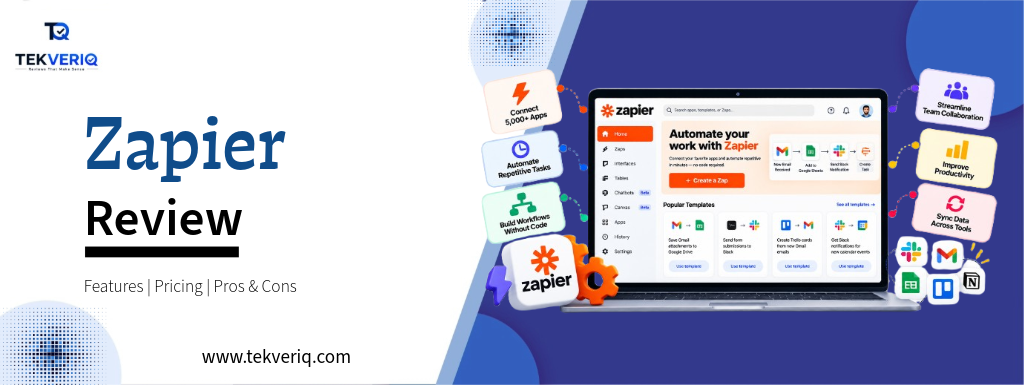
The foundation of Zapier’s platform is a centralised control panel intended for scalable operations management, speed, and clarity. Users may examine real-time task usage stats, analyse error notifications, control team permissions, and keep an eye on ongoing workflows.
Essential Platform Features:
- The Visual Zap Builder: It is a drag-and-drop or step-by-step editor that allows users to specify one or more Actions (what occurs next) and a Trigger (the event that initiates a process) across over 9,000 supported apps.
- Advanced Logic & Multi-Step Workflows: By using filters, delay timers, formatters, and branching paths to route data dynamically based on predetermined conditions, you may go beyond simple one-to-one connections.
- Zapier Tables & Interfaces: Teams may store data, monitor projects, and create useful internal client portals or intake forms with the help of integrated lightweight databases and drag-and-drop interface builders.
- Zapier Canvas: Before creating live automations, teams can visually design workflows, map out complicated architecture, and document processes using Zapier Canvas, a dedicated planning environment.
- AI Integration Suite: Functionalities such as autonomous Zapier Agents, AI Actions (automatic text summarisation, categorisation, and content routing), and Zapier Copilot (natural language workflow construction) facilitate the integration of intelligent decision-making with manual data handling.
Zapier’s Pricing and Plan
Zapier offers a flexible pricing model that scales with your usage, measured in “tasks” (every time a Zap successfully runs an action, it counts as one task).
| Plan | Price (Billed Annually) | Key Features | Best Suited For |
|---|---|---|---|
| Free | $0 | 100 tasks/month, 2-step Zaps only, 15-minute polling, no premium apps | Testing, light personal use, and basic exploration |
| Professional | From $19.99 / month | Starts at 750 tasks/month, multi-step Zaps, webhooks, premium apps | Solopreneurs, freelancers, and small teams |
| Team | From $69 / month | Starts at 2,000 tasks/month, shared workspaces, SAML SSO, premier support | Growing teams requiring collaboration and shared folder control |
| Enterprise | Custom | Annual task pools, VPC peering, SCIM provisioning, dedicated support | Large organizations with rigorous IT security demands |
Pros and Cons
Pros
- Unmatched Ecosystem: Compared to most competitors, it connects with over 7,000 apps.
- No-Code Simplicity: Without the need for development resources, anyone can create a simple automation in a matter of minutes.
- High Reliability: Robust error-handling messages and an outstanding uptime record.
- Advanced Logic: Provides code steps (JavaScript and Python), formatters, filters, and branching paths for advanced users.
Cons
- Task-Based Pricing Can Scale Soon: You may be forced into pricey higher-tier plans very soon if you have a lot of automation or inefficient loops.
- UI Complexity at Scale: Strict folder structure is necessary to manage hundreds of active Zaps throughout a large firm.
Zapier’s Alternatives
Although Zapier leads the industry, there are a number of strong competitors that serve a range of budgets and technical skill levels:
- Make (previously Integromat): renowned for its far more generous free and mid-tier pricing, as well as its highly visual, node-based flowchart editor. If you don’t mind a higher learning curve, it’s better for intricate, data-intensive procedures.
- n8n: A popular workflow automation solution for developers and teams who prioritise privacy; it provides both cloud-hosted and self-hosted (open-source) choices.
- Pabbly Connect: A well-liked substitute with task structures that don’t charge you for internal filter or formatter stages and lifetime deal alternatives.
Third-Party Platform Rating
To provide an impartial assessment, right here is how Notion AI plays throughout essential verified B2B software review systems:
| Review Platform | Verified Rating | Total Reviews Analyzed | Key User Highlights |
|---|---|---|---|
| G2 | 4.5 / 5 ★ | 1,800+ Reviews | Widest application catalog on the market, intuitive visual builder, and reliable execution for everyday workflows. |
| Capterra | 4.7 / 5 ★ | 3,000+ Reviews | High marks for overall feature depth and ease of use, though users frequently note that task costs scale up quickly. |
| Trustradius | 9.0 / 10 ★ | 150+ Reviews | Praised as the gold standard for no-code enterprise data mapping, backed by strong security compliance. |
Users consistently praise Zapier for its massive app library and set-it-and-forget-it reliability, though some note that costs can climb as business volume increases.
Final Verdict
TekveriQ Final Score = 9.0 / 10
Zapier is still the best option if you’re looking for a reliable, easy-to-use automation platform that can link almost any application in your IT stack. Power users on a tight budget might look into visual alternatives like Make, but Zapier’s unrivalled ecosystem, dependability, and ongoing rollouts of AI features make it a crucial investment for effective operations.
Last Suggestion: Strongly advised for companies of all sizes seeking to increase efficiency and do away with manual data entry.