Why Do You Need Notion Alternatives?
Notion can be utilized for organizing your documents, wikis, and knowledge base. However, as your workspace grows increasingly complicated, you might encounter problems regarding the organization of data, search, and content management.
These Notion AI alternatives have more specialized functions that include a quick search feature, structured knowledge bases, AI-powered discovery, and content management tools. In this article, we will examine seven Notion alternatives and their purposes.
Limitations of Notion in Relation to Knowledge Management
Notion is very flexible; however, organizing an increasing amount of data might become difficult. Some of the possible problems are complicated configuration, slow data search, content organization, lack of offline capabilities, and obsolete documentation. In case if the main goal of a company is knowledge management, there are other ai tools which can be used.
Top 7 Notion Alternative for Knowledge Management
1. Obsidian: For Local-First Personal Knowledge Management
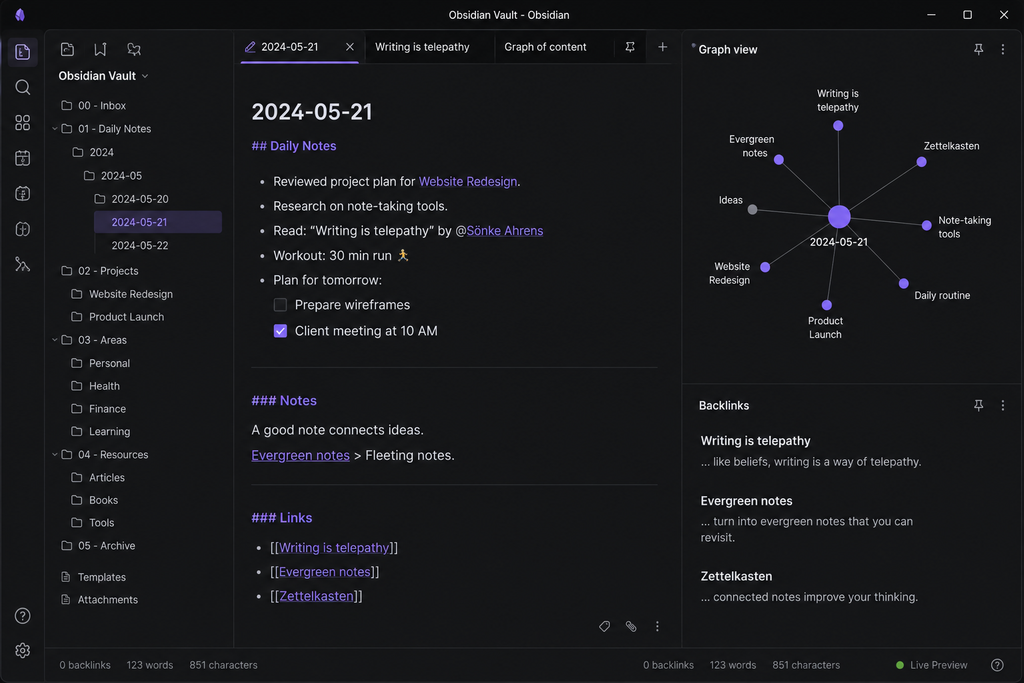
- Architecture: 100% offline, local-first storage that utilizes regular .md (Markdown) files.
- Key Strength: Graph visualization of connections and bidirectional linking ([[note name]]) to represent a non-linear “Second Brain.”
- Features: No vendor lock-in, plugin ecosystem of the community (1,500+ plugins), canvas for mapping purposes, and complete control over data.
- Downside: Has no built-in multi-user real-time collaboration; synchronization between different devices possible via Obsidian Sync ($4-$8/mo) and other cloud solutions.
- Pricing: Free for personal use; $50/user/year for commercial; paid add-on Sync and Publish services.
2. Slite: Best for AI-Assisted Team Wikis and Company SOPs
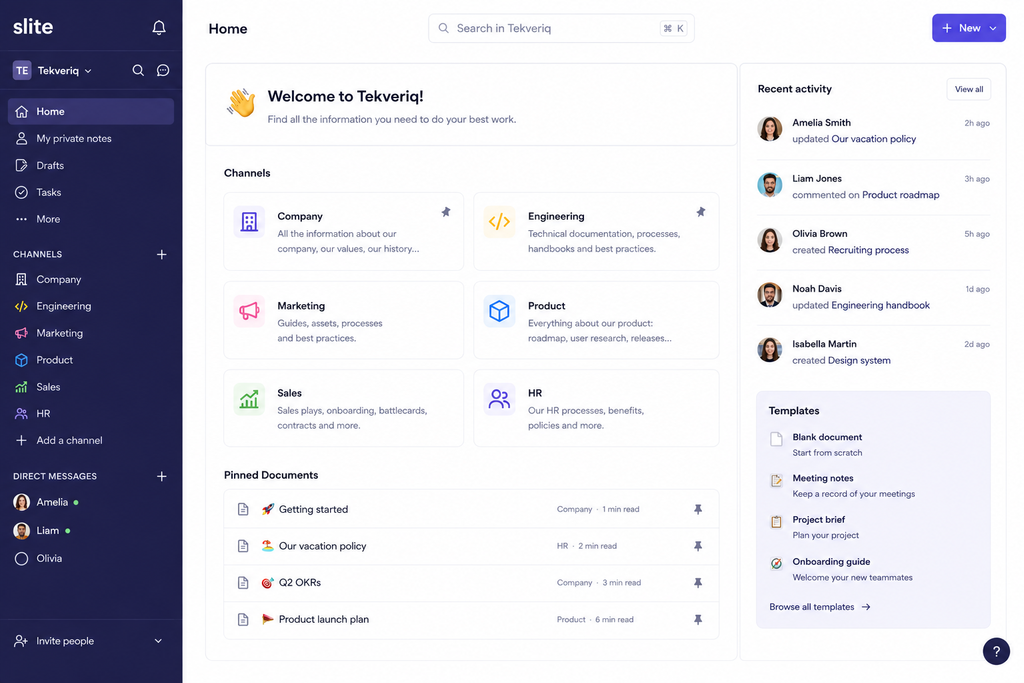
- Architecture: Cloud-based team wiki with built-in retrieval AI capabilities.
- Strength: Prevents “wiki rot” by ensuring the documents are updated using AI-driven document validation workflow.
- Strongest Features: AI-based natural language search engine that gives answers to team questions based on verified documents, organized channels, and fast onboarding templates.
- Weakness: Not intended for relational databases and project management tracking purposes.
- Cost: Free trial available; paid plans starting at about $8 to $10/user/month.
3. Coda: Ideal for Interactive Documents and Workflow with Spreadsheets
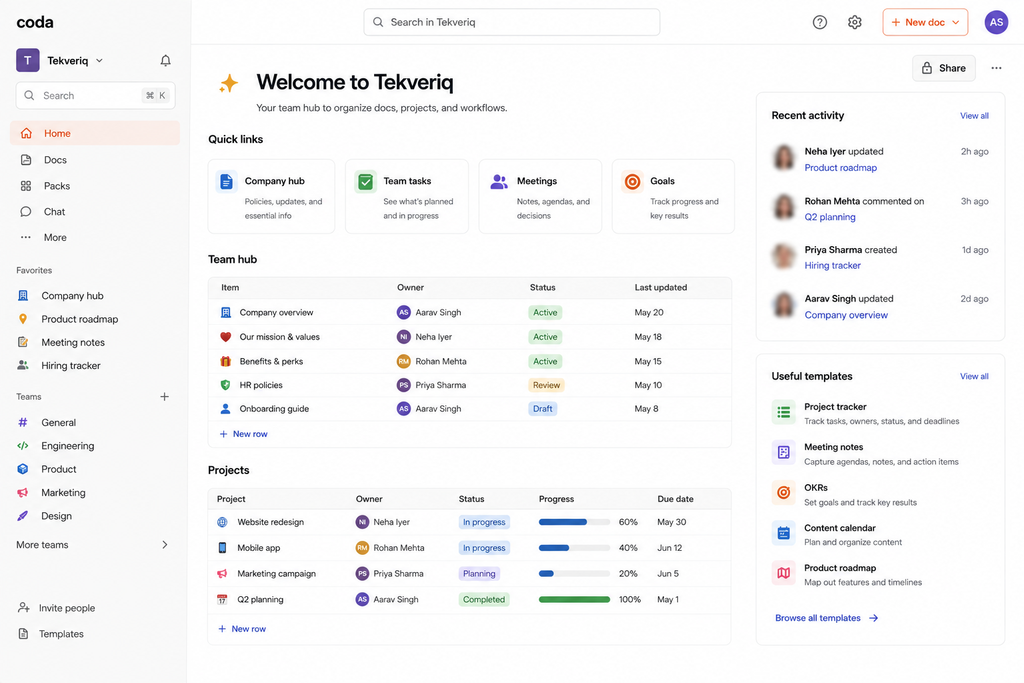
- Architecture: Document and application builder that works on the cloud.
- Primary Advantage: Formula engine that turns ordinary text documents into interactive web applications.
- Features That Stand Out: Interactive action buttons, nested data tables, cross-referencing formulas, and “Packs” that keep data updated from Jira, Slack, Figma, and Google Drive.
- Weakness: Learning curve is high for complex formulas; may suffer from performance issues when using large documents.
- Pricing: Maker pricing model (Doc Makers have to pay but Editors/Viewers are free); Pro is priced at $10/maker/month, while Team is $30/maker/month.
4. Capacities: Excellent for Object Based & Networked Thinking Notion Alternative
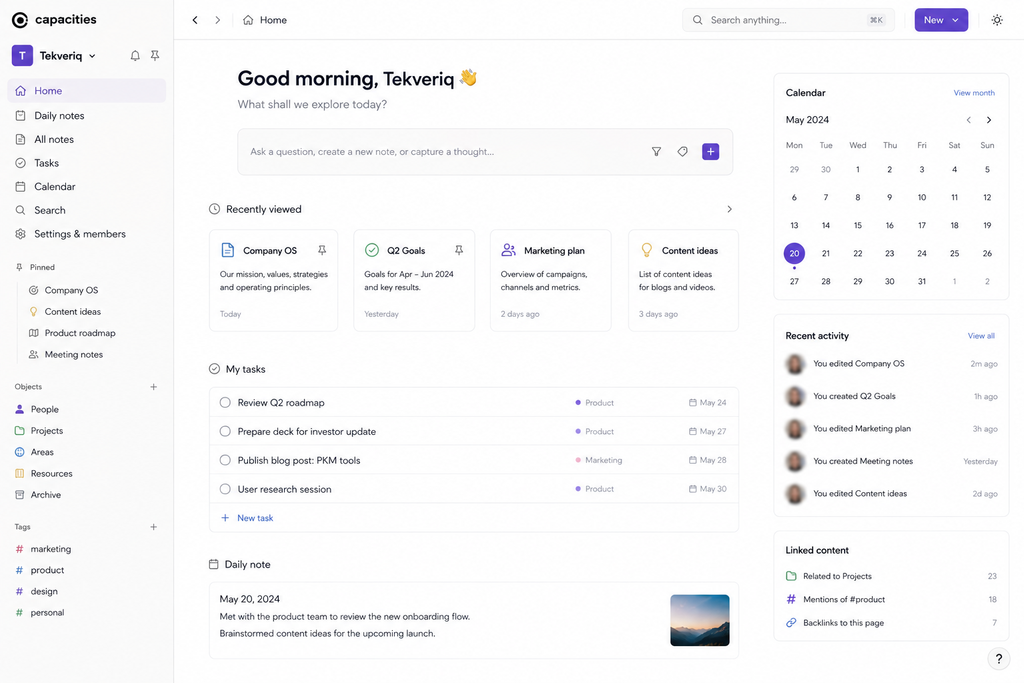
- Architecture: Syncs via cloud to function as object based personal knowledge manager.
- Primary Advantage: Data organized by entity (such as Books, People, Meetings, Projects etc.) in lieu of usual folder structure.
- Best Attributes: Automatic tagging free organization system, calendar driven daily notes, entity graphs & built-in AI assistant.
- Downside: Mainly designed for individual/single-player purposes and very few permissions/controls for enterprises/multi member teams.
- Pricing: Generous Free package; Capacities Pro costs roughly ~$10/month (or $100/year).
5. Microsoft Loop: The Right Choice for Microsoft 365 Enterprise Workflows
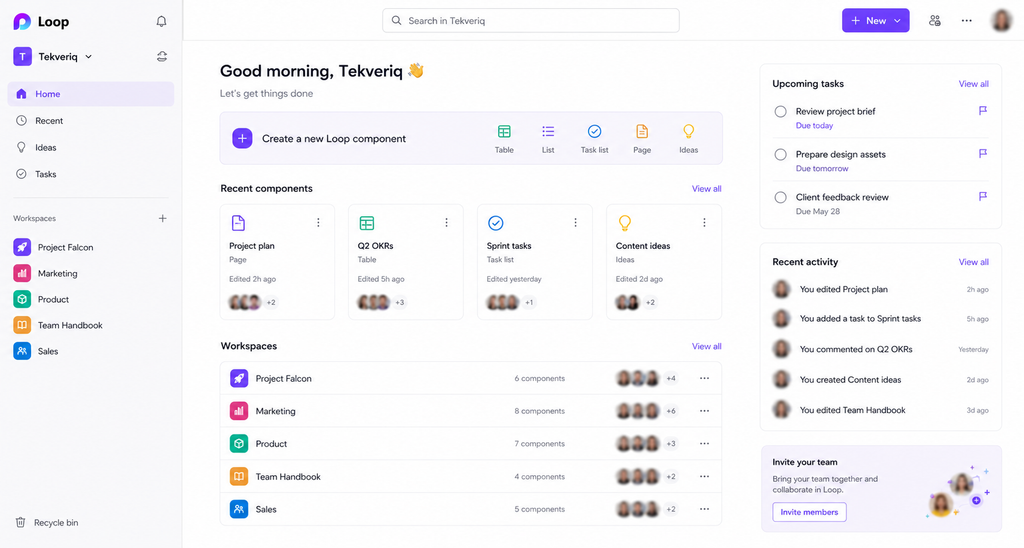
- Architecture: Native cloud-based modular canvas integrated into the Microsoft enterprise ecosystem.
- Key Advantage: Portable “Loop Components” (tables, lists, text blocks) that can dynamically synchronize within Outlook, Microsoft Teams, and Word.
- Key Features: Collaborative real-time multi-user editing, Microsoft Copilot for automatic document creation, and overall enterprise-level compliance.
- Disadvantage: The feature-set is rather basic and inferior to Notion’s; lacks advanced database capabilities and formatting options.
- Pricing: Free as part of Microsoft 365 Business and Enterprise packages (separate free web app with basic functionality).
6. AppFlowy: Best Open Source and Privacy First Notion Alternative
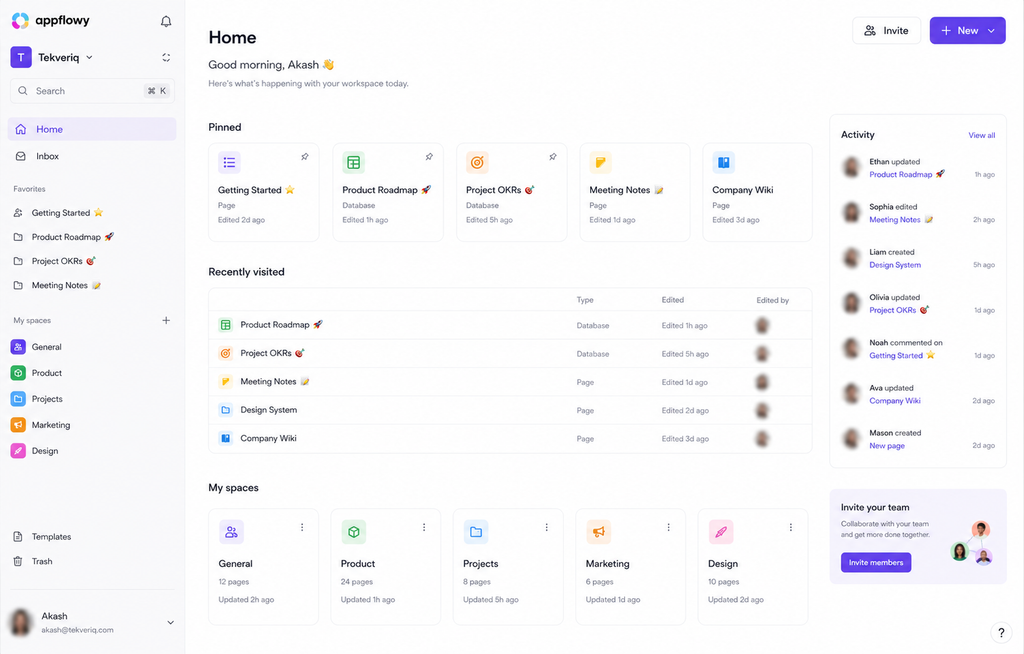
- Architecture: Open source, local first engine with self-hosting capabilities (uses Rust and Flutter).
- Key Advantage: Offers the exact same user interface, experience, and block/database architecture as Notion while keeping data local and offering custom self-hosting.
- Pros: Works offline, code completely open source, ability to customize themes and no third party data tracking.
- Con: Less plugin/integration support than established solutions; still developing its collaboration functionalities on cloud.
- Cost: 100% free and open source if self-hosted, otherwise managed cloud plans are paid.
7. Confluence: Ideal for Technical & Enterprise Engineering Wikis
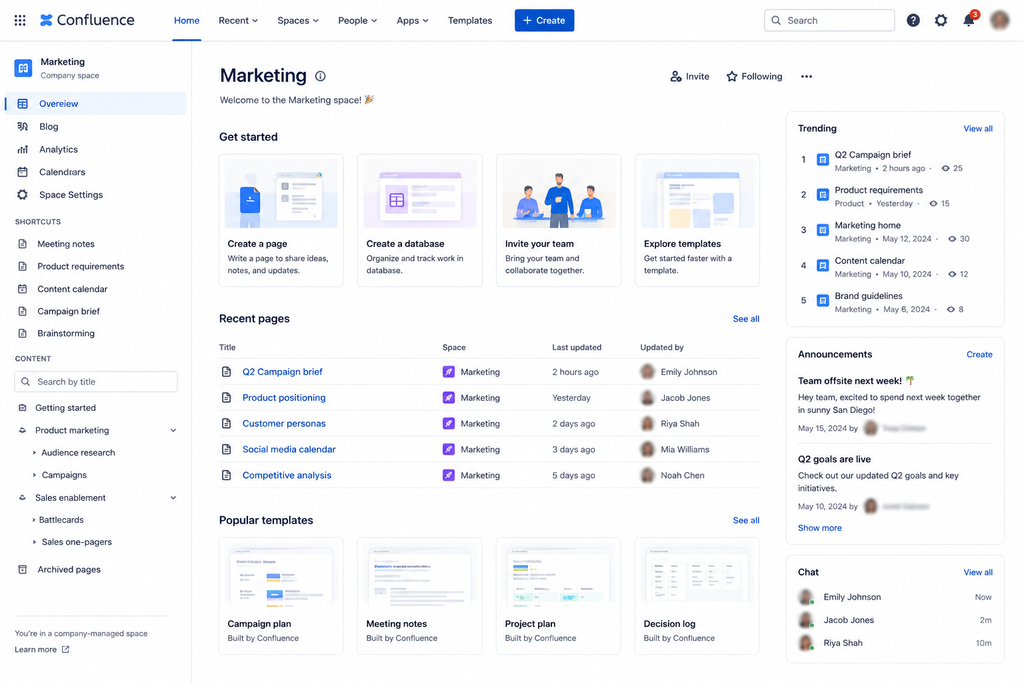
- Architectural Design: Enterprise-level cloud or data center knowledge solution from Atlassian.
- Unique Selling Point: High level of native integration with Jira, Bitbucket and developer task managers.
- Top Notch Features: Advanced permission controls, structured space/page navigation, built-in whiteboard, and Rovo AI workspace intelligence.
- Downside: Old and inflexible user interface that doesn’t fit creative agencies and lone developers.
- Pricing: Free for up to 10 users, starting from $5.42/user/month for Standard plan; $10.44/user/month for Premium plan.
| Tool | Storage Type | Primary Focus | Search & Retrieval Type | Pricing Tiers (Annual) | Best Suited For |
| Obsidian | Local-first (.md files) | Personal PKM / Second Brain | Instant local text search + interactive graph node traversal | Free (Personal) • $50/user/yr (Commercial) • Sync add-on: $4–$8/mo | Power users, writers, and developers who prioritize 100% data ownership and offline speed. |
| Slite | Cloud-native | Team Wiki & Company SOPs | Natural-language AI Q&A (“Ask”) + multi-source retrieval (Slack/Jira) | Free tier available • Standard: $8–$10/user/mo • Pro: $20/user/mo | Remote teams and growing startups needing auto-verified, organized company documentation. |
| Coda | Cloud-native | Interactive Docs & Data Apps | Keyword, document index, and integrated Coda AI assistant | Free tier available • Pro: $10/Doc Maker/mo • Team: $30/Doc Maker/mo (Viewers free) | Data-heavy and product operations teams who build app-like tools with formulas and buttons. |
| Capacities | Cloud-synced (local cache) | Object-Based Personal PKM | Semantic tagless search + visual entity graph mapping | Free (Standard) • Pro: ~$10/mo (~$100/yr) • Believer tier: $120+/yr | Researchers, content creators, and visual thinkers organizing concepts as interconnected objects. |
| Microsoft Loop | Cloud-native (Microsoft 365) | Enterprise Co-Authoring & Dynamic Notes | Microsoft Graph semantic search + Microsoft Copilot integration | Free standalone web version • Included in M365 Business ($6–$22/user/mo) | Corporate teams already invested in Outlook, Teams, and standard Microsoft 365 compliance. |
| AppFlowy | Local-first & Self-hosted (Cloud optional) | Open-Source Modular Knowledge Base | Fast local keyword indexing and offline database querying | Free & open-source for self-hosting • Cloud team tiers: ~$5–$8/user/mo | Developers, privacy advocates, and organizations with strict on-premise data compliance needs. |
| Confluence | Cloud / Enterprise Data Center | Large-Scale Technical Team Wikis | Structured space indexing, Jira metadata search, and Atlassian Rovo AI | Free (up to 10 users) • Standard: $5.42/user/mo • Premium: $10.44/user/mo | Engineering, IT, and enterprise organizations managing cross-functional technical specifications. |
Decision Framework: Which Tool Is Right for You as a Notion Alternative?
- Go with Obsidian when: You wish to store your data securely in plaintext format on your own hard drive and not worry about cloud solutions or monthly payments.
- Opt for Slite when: You have a need for a turnkey company wiki, where questions can be answered via AI and outdated pages detected automatically.
- Select Coda when: You need some document capability to take actions such as live API querying, spreadsheet-like multi-table functionality, and custom logic.
- Select Capacities when: You dislike folder-based structures and would rather organize notes through topics, ideas, media, and people.
- Select Microsoft Loop when: You are working in Microsoft Teams and Outlook and need collaborative text snippets in live mode.
- Select AppFlowy when: You like Notion’s database blocks and layout but have a need for open-source or self-hosted codebase.
- Select Confluence when: Your software process is based on Jira and you have a strict permission management for hundreds of team members.
Conclusion
Nevertheless, Notion is still a good general-purpose solution, but the most suitable knowledge management tool for anyone is always that which fits their workflow. If full privacy, fast work offline, and non-linear mind maps are the most valued features, then locally-first applications such as Obsidian or entity-based applications such as Capacities will give far greater flexibility than cloud databases.
For operational teams and companies scaling up, the focus moves to more structure and reliability. Slite and Confluence solve the problem of knowledge rot with automated document validation and governance capabilities, while Coda fills the gap between text documents and automated data processing. Checking whether there is a need for a private personal knowledge base, a live collaborative workspace, or a technical developer’s wiki will show which application is the exact fit.