
Getting locked out of your Android phone after a factory reset is a common, irritating issue. Google’s integrated security feature—Factory Reset Protection (FRP)—is designed to prevent unauthorized access if a device is lost or stolen. However, in case you neglect your Google account credentials or buy a second-hand smartphone with an active lock, you need a legitimate, reliable FRP bypass tool to regain access.
With hundreds of utilities available, finding a tool that is secure, powerful, and aligned with your precise Android OS version can be overwhelming. Some solutions require a computer with specialized desktop drivers, while others target the device directly using skip APKs.
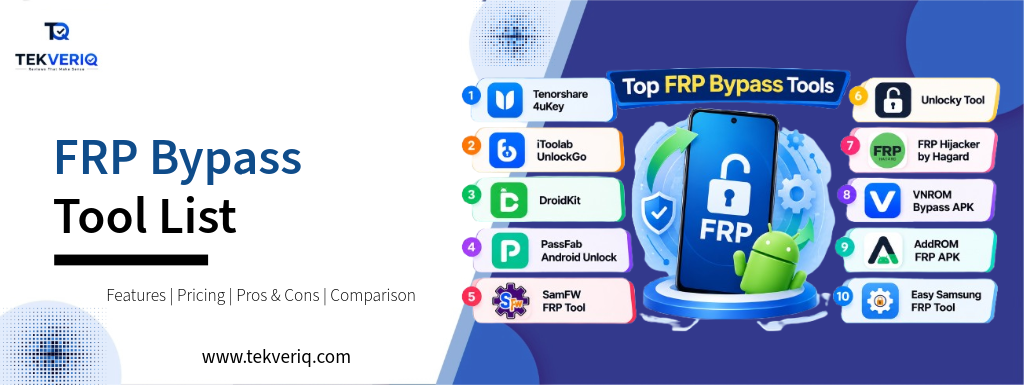
This guide reviews the top 10 FRP bypass tool options across PC and Android, detailing their key capabilities, pricing structures, pros, cons, and operating system compatibility that will help you quickly free up your phone.
Quick Comparison: Best FRP Bypass Tools at a Glance
| FRP Bypass Tool | Platform | Best For | Android OS Support | Pricing Model |
|---|---|---|---|---|
| Tenorshare 4uKey for Android | PC (Windows & macOS) | Samsung & general user friendliness | Android 6.0 – 14 / 15 | Paid (~$35.95/mo) |
| iToolab UnlockGo (Android) | PC (Windows & macOS) | Multi-brand one-click unlocking | Android 5.0 – 14 / 15 | Paid (~$29.95/mo) |
| DroidKit (iMobie) | PC (Windows & macOS) | Full-suite Android repair & recovery | Android 6.0 – 14 / 15 | Paid (~$39.99/yr) |
| PassFab Android Unlock | PC (Windows & macOS) | Budget-conscious desktop unlocking | Android 5.0 – 14 | Paid (~$29.95/mo) |
| SamFW FRP Tool | PC (Windows) | Samsung & Xiaomi technicians (Free) | Android 9.0 – 14 | 100% Free |
| Unlocky Tool | PC & Web-assisted | Fast cloud-assisted bypass | Android 6.0 – 13 | Free / Freemium |
| FRP Hijacker by Hagard | PC (Windows) | Older Samsung models & dialer codes | Android 5.0 – 10 / 11 | Free |
| VNROM Bypass APK | Android (No PC needed) | Direct on-device browser exploit | Android 5.0 – 13 | Free (APK) |
| AddROM FRP APK | Android (No PC needed) | Backup browser-based bypass files | Android 6.0 – 12 / 13 | Free (APK) |
| Easy Samsung FRP Tool | PC (Windows) | Triggering browser popups on Samsung | Android 9.0 – 12 | Free |
1. Tenorshare 4uKey for Android: Best Overall Desktop FRP Bypass Tool
Tenorshare 4uKey for Android is one of the most widely used industrial tools for removing Google lock verification on Windows and Mac. It features an automatic, wizard-driven interface that guides users through brand-specific recovery steps without requiring advanced technical knowledge.
Core Capabilities
- One-Click Samsung FRP Removal: Automatically detects the device model and removes locks using test-mode emergency dialer codes (*#0*#) or widespread download mode.
- Broad OEM Support: Provides dedicated removal routines for Samsung, Xiaomi, Redmi, Vivo, OPPO, and Motorola devices.
- Screen Lock Removal: Bypasses PINs, pattern locks, passwords, and biometric fingerprint locks alongside Google accounts.
Pricing
- 1-Month License: ~$35.95 (supports 5 devices / 1 PC)
- 1-Year License: ~$39.95
- Lifetime License: ~$49.95
Pros & Cons
- Pros: Highly intuitive UI; frequent updates to support new Android security patches; responsive technical support.
- Cons: Paid license required to execute the unlock; requires a strong USB cable connection.
2. iToolab UnlockGo (Android): Best Multi-Brand Commercial Unlocker
iToolab UnlockGo for Android is a specialised unlocker constructed to tackle Google FRP locks across a wide array of manufacturers, making it a favourite for small repair shops and regular customers alike.
Core Capabilities
- Universal brand Support: Unlocks Google FRP across Samsung, Xiaomi, Redmi, Vivo, OPPO, Realme, and Motorola devices.
- Patch-Specific Profiles: Offers distinct bypass techniques tailored to precise Android security patch tiers (e.G., pre-2022, 2023, and modern builds).
- Factory Reset Bypass: Clears screen locks without wiping information on selected legacy Samsung devices.
Pricing
- 1-Month Plan: ~$29.95
- 1-Year Plan: ~$39.95
- Lifetime Plan: ~$49.95
Pros & Cons
- Pros: Clean user interface; high fulfillment fee across modern patch levels; dependable step-by-step guidance.
- Cons: Free trial only detects device compatibility without completing the free trial.
3. DroidKit (by iMobie): Best All-in-One Android Repair & FRP Solution
DroidKit is not simply an FRP bypass tool; it’s an all-in-one suite designed to deal with system recovery, data extraction, black screen repairs, and cache partition management.
Core Capabilities
- Custom Firmware Packages: Downloads an optimized ROM package tailored to your specific phone version and build, with a wide variety to strip the FRP partition.
- Deep Multi-Device Compatibility: Custom routines for Samsung, Xiaomi, Redmi, POCO, and OPPO smartphones and tablets.
- Built-in System Fixer: Resolves boot loops and frozen screens often caused by failed manual bypass attempts.
Pricing
- FRP Bypass Module (1-Year): ~$39.00
- Full Toolkit (1-Year): ~$69.99
Pros & Cons
- Pros: Comprehensive diagnostics suite; robust safety protocols throughout ROM flashing; modern-day design.
- Cons: Downloading device-specific firmware packages requires a quick, uninterrupted internet connection.
4. PassFab Android Unlock: Best Budget Commercial Desktop Utility
PassFab Android Unlock provides a lightweight, focused alternative to heavier diagnostic suites, emphasizing fast screen unlock and Google lock removal.
Core Capabilities
- Automatic System Detection: Identifies tool hardware specifications and displays the exact physical button sequence required for recovery mode.
- Samsung Test Mode Bypass: Removes FRP locks on Samsung hardware in roughly 3 minutes through USB debugging.
- Cross-Platform Host: Fully compatible with both modern Windows (11/10) and macOS systems.
Pricing
- 1-Month License: ~$29.95
- 1-Year License: ~$39.95
- Lifetime License: ~$49.95
Pros & Cons
- Pros: Lightweight download; speedy execution on supported Samsung builds; clear activation menus.
- Cons: Limited success on area-of-interest local phone brands; calls for purchasing a license.
5. SamFW FRP Tool: Best 100% Free FRP Bypass Tool for PC
SamFW FRP Tool is arguably the most popular free software developed by the Android enthusiast community. Designed by and large for Samsung devices (with expanding support for Xiaomi and LG), it leverages ADB and emergency dialer modes to reset lock states.
Core Capabilities
- One-Click ADB Activation: Uses the *#0*# check menu to permit USB debugging, allowing on-the-spot FRP clearing through well-known ADB shell scripts.
- CSC Changer: Enables users to alternate provider and nearby CSC codes immediately.
- Odin Flasher Alternative: Includes built-in utilities to flash official Samsung multi-part firmware files (BL, AP, CP, CSC).
Pricing
- 100% Free (Community-supported via donations)
Pros & Cons
- Pros: Completely free without a subscription paywall; effective advanced diagnostic controls.
- Cons: Windows-best; requires a guide for Samsung USB driver setup; more recent security updates that turn off *#0*# test mode require additional steps.
6. Unlocky Tool: Fast Cloud-Assisted Unlocking
Unlocky operates as a lightweight, semi-automatic program that generates an unlocking hash based on the phone’s specific IMEI and version identifiers.
Core Capabilities
- IMEI-Based Generation: Generates bypass codes and configuration keys for common Qualcomm and MediaTek chipsets.
- Zero Complex Flashing: Does not require flashing low-level binary files or rooting the target phone.
- Simple Dashboard: Minimalist UI ideal for beginners who want to keep away from command-line terminals.
Pricing
- Free / Freemium model
Pros & Cons
- Pros: Simple operation; low useful resource footprint on the host PC.
- Cons: Inconsistent success rates on recent Android versions; requires caution regarding unofficial download mirrors.
7. FRP Hijacker by Hagard: Best Free Tool for Legacy Samsung Devices
Developed specifically for older Samsung smartphones (Android 5 through 10), FRP Hijacker remains a staple in tech repair toolkits for restoring older hardware.
Core Capabilities
- Download Mode Exploits: Strips FRP locks while the smartphone is connected in Samsung Odin Download Mode.
- Dialer Hack Mode: Exploits phone dialer protocols to push browser navigation hyperlinks to the locked display.
- Soft-Brick Fixer: Repairs primary partition boot loops because of interrupted manufacturing factory resets.
Pricing
- 100% Free
Pros & Cons
- Pros: Completely free; very powerful on older Samsung Galaxy S, Note, and J collection phones.
- Cons: Development has ceased; largely incompatible with modern-day Android releases (Android 12, 13, and 14+).
8. VNROM Bypass APK: Best PC-Free Android Bypass Method
For conditions where a desktop or USB cable is unavailable, VNROM Bypass provides an on-device workaround. It entails downloading standalone APK packages immediately via the device’s internal browser using accessibility shortcuts (TalkBack).
Core Capabilities
- Settings Access: Includes an APK that bypasses setup wizards to launch the native Android Settings menu directly.
- Google Account Manager (GAM) Override: Replaces the existing Google Account Manager with an older, exploit-compatible authentication model.
- No PC Required: The complete operation is carried out at once on the cellphone using Wi-Fi and an open browser tab.
Pricing
- 100% Free (APK direct downloads)
Pros & Cons
- Pros: Free; requires no pc, drivers, or USB cables.
- Cons: Relies on difficult button combos and TalkBack exploits that Google regularly patches in monthly security updates.
9. AddROM FRP APK: Reliable Backup for Direct On-Device Unlocking
Similar to VNROM, AddROM hosts a repository of specialized micro-APKs and deep-link shortcut documents used to launch phone settings, browser apps, and account managers.
Core Capabilities
- One-Click App Launchers: Direct web links at the AddROM portal open Samsung Galaxy Store, Google Quick Search, or Android Settings without delay from the lock screen browser.
- Broad APK Archive: Houses historical variations of Google Account Manager for Android 6 through 10.
- Pattern Setup Utility: Allows users to set up a brand new transient tool PIN from within the bypassed settings menu.
Pricing
- 100% Free
Pros & Cons
- Pros: Zero financial cost; works completely over Wi-Fi when available.
- Cons: Ineffective if the device’s present-day protection patch completely blocks browser access to the setup wizard.
10. Easy Samsung FRP Tool: Best for Triggering Browser Popups
Created by the Easy Firmware development team, Easy Samsung FRP Tool solves the toughest part of guide bypasses: forcing an FRP-locked phone to open YouTube or Chrome.
Core Capabilities
- MTP Notification Injection: Sends an automated push notification via USB (MTP mode) that forces the device to launch YouTube or Samsung Internet directly.
- Gateway to APK Bypasses: Bridges the gap between a PC application and on-device tools like VNROM or AddROM.
- Automatic Driver Installation: Verifies that required Samsung mobile USB drivers are effectively set up on the host PC.
Pricing
- 100% Free
Pros & Cons
- Pros: Highly reliable for opening browser windows on locked phones; free of charge.
- Cons: Does not eliminate the lock on its own; calls for disabling Windows Driver Signature Enforcement prior to setup.
How to Choose the Right FRP Bypass Tool
When selecting an FRP bypass tool, match your technical comfort, hardware brand, and budget against these factors:
- Brand and Model: Samsung gadgets have the very best bypass success rate due to dedicated utilities like SamFW and Tenorshare 4uKey. If you own a Xiaomi, Vivo, or OPPO device, pick out a multi-brand industrial platform like iToolab UnlockGo.
- Access to a Computer: If you have a PC or Mac, desktop tools are significantly more reliable than on-device exploits. They use legitimate hardware communication protocols (ADB, MTP, Fastboot) that yield faster, more secure results.
- Android Security Patch Date: If the locked phone is running recent software, manual APK exploits (like TalkBack loopholes) are generally blocked. Modern computer software up to date for the latest patch cycles is usually vital.
- Budget vs. Simplicity: If you are comfortable installing drivers and navigating technical menus, SamFW FRP Tool is the pinnacle free option. If you prefer a step-by-step wizard that handles driver configuration and unlocking automatically, paid tools like 4uKey or UnlockGo save tremendous time.
Conclusion
Getting trapped in the back of Google’s Factory Reset Protection screen no longer implies your phone is completely bricked. Choosing the proper FRP bypass tool depends entirely on your device manufacturer, Android OS version, and whether you have access to a computer.
For Samsung users trying an effective, zero-cost solution, SamFW FRP Tool is the standout community advice. If you’re managing more recent devices across brands like Xiaomi, Vivo, or Motorola and want a guided, automated experience, commercial desktop options like Tenorshare 4uKey for Android or iToolab UnlockGo deliver the highest reliability. Always ensure you’ve got legitimate ownership of the tool before using any unlocking application.