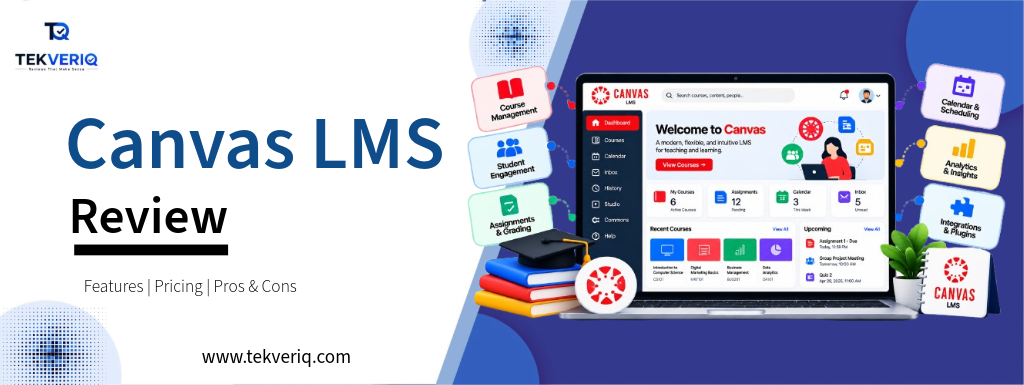
1. What is Canvas LMS?
Learning Management Systems (LMS) shape the digital backbone of contemporary education, from primary classrooms to university lecture halls and enterprise training hubs. Among these platforms, Canvas by Instructure stands as the market-share leader throughout North American higher education and K–12 school districts.
Launched in 2011 on a cloud-native structure, Canvas displaced legacy, server-hosted software like Blackboard Learn and Moodle by prioritizing modern UI, high reliability, and deep interoperability. Today, Canvas anchors an expansive educational ecosystem encompassing assessments, credentialing, analytics, and AI assistance. This assessment gives a complete look at Canvas LMS—its core functionality, ecosystem integrations, pricing structure, pros, cons, and competitive status.
2. Quick Verdict & Key Specifications
Canvas is the gold standard for institutional learning management. Its cloud-native reliability, intuitive SpeedGrader workflow, and significant 1,000+ app integration marketplace make it the greatest choice for schools, school districts, and training organizations. However, small boutique academies or low-budget operations will find its custom business pricing and steep administrative setup excessive for easy online route hosting.
| Specification | Details |
|---|---|
| Product Name | Canvas LMS (by Instructure) |
| Primary Category | Cloud Learning Management System (LMS) & Learning Platform |
| Best For | K–12 school districts, colleges & universities, state education systems, and enterprise workforce training |
| Starting Price | Custom annual licensing (Quote-based per student/full-time equivalent; Free-for-Teacher tier available) |
| Key Standout Tech | SpeedGrader, Blueprint Courses, Canvas Data & event streaming, IgniteAI assistant, native LTI integration engine |
| Supported Platforms | Web/Cloud, Canvas Student app (iOS/Android), Canvas Teacher app (iOS/Android), Canvas Parent app (iOS/Android) |
| Integrations | 1,000+ vetted LTI integrations (Google for Education, Microsoft 365, Zoom, Turnitin, AWS, Parchment) |
| TEKVERIQ Rating | 4.4 / 5 ⭐⭐⭐⭐ |
3. Canvas LMS Dashboard and Core Features
Canvas differentiates itself through workflows engineered to reduce administrative friction for teachers while maintaining a unified experience for students.
1. SpeedGrader & Feedback Suite
SpeedGrader remains Canvas’s signature teaching feature:
- Inline Document Annotation: Instructors can review PDF, Word, and Google Docs submissions directly in the browser, leaving sticky notes, highlights, and margin comments without downloading documents.
- Rubric-Based Scoring: Graders can click through predefined institutional rubrics, automatically calculating composite rankings.
- Multimedia Feedback: Teachers can report short audio clips or video comments directly in the grading window.
- “Message Students Who…” Trigger: Enables instructors to filter and bulk-message students who haven’t submitted assignments or scored below a designated threshold with a single click.
2. Course Builder & Modular Delivery
- Modules & Prerequisites: Instructors prepare materials into sequential weeks or thematic units. Content lock regulations ensure students skip quizzes or review preparatory materials before unlocking subsequent modules.
- Rich Content Editor: Integrates drag-and-drop media embeds, LaTeX equation editors, and an automated accessibility checker that signals route designers to contrast issues and missing alt text content.
- Blueprint Courses: Allows branch heads or district administrators to layout a master course template and push real-time curriculum updates throughout masses of linked course sections concurrently.
3. Analytics, Data, and AI (IgniteAI)
- Real-Time In-App Analytics: Monitors individual student page views, task submissions, and engagement drop-offs to support early educational intervention.
- Canvas Data & Event Streaming: Provides institutional IT and data science teams with raw, event-level log access for custom reporting dashboards and scholar information system (SIS) synchronization.
- IgniteAI Integration: Instructure’s responsible-AI framework assists educators with draft rubric technology, quiz question ideation, and scholar discussion summarization while adhering to institutional privacy guidelines.
4. Dedicated Triple-App Mobile Ecosystem
Rather than forcing one mobile app to serve all audiences, Canvas provides three distinct interfaces:
- Canvas Student: Lets beginners track due-date calendars, submit video or photo homework assignments, and acquire grade signals.
- Canvas Teacher: Enables educators to manage submissions, annotate through mobile SpeedGrader, and publish magnificent announcements at the cross.
- Canvas Parent: Gives K–12 guardians visibility into upcoming challenge deadlines, teacher notes, and grade e-book development.
4. Canvas LMS Pricing and Plan
Canvas does not operate on a transparent, self-serve subscription model for organizations. Instead, its enterprise pricing is structured around institutional scale:
| Model / Tier | Pricing Structure | Typical Inclusions | Target Audience |
|---|---|---|---|
| Free-for-Teacher | $0 (Free access) | Core LMS features, assignments, quizzes, gradebook, 250 MB course storage limit | Individual instructors, tutors, and independent pilot classrooms |
| K–12 Institutional | Custom quote (Typically $4–$10 / student / year + implementation fees) | District-wide SIS sync, Blueprint courses, Canvas Parent app, single sign-on (SSO) | Public/private school districts, charter networks, regional education agencies |
| Higher Education | Custom quote (Typically scaled by FTE / student headcount) | Enterprise Canvas Data feeds, SLA support, Parchment credentialing, 24/7 help desk | Colleges, community college systems, universities |
| Canvas Career / Business | Custom quote | Catalog storefront, professional micro-credentialing, employee training paths | Corporations, healthcare networks, government agencies |
5. Pros and Cons
Pros
- Unmatched Reliability: Delivers regular 99.9%+ cloud uptime hosted on Amazon Web Services (AWS), avoiding the mid-term server crashes typical of older self-hosted systems.
- SpeedGrader Productivity: Radically speeds up grading turnaround times for high-enrollment courses.
- Massive App Ecosystem: Supports hundreds of Learning Tools Interoperability (LTI) connections, permitting seamless single-click launches into Zoom, McGraw-Hill, Pearson, and Google Classroom.
- Accessibility-First Design: Strict adherence to WCAG 2.1 AA requirements, along with integrated shade assessment validators and screen-reader optimizations.
Cons
- Enterprise-Level Pricing: High baseline price and implementation prices make it prohibitive for solo path creators or micro-academies.
- Discussion Forum Limitations: Native discussion boards feel surprisingly dated compared to modern social platforms or dedicated discussion tools like Ed Discussion or Discord.
- Storage Limits on Basic Tiers: The Free-for-Teacher tier includes restricted media storage, requiring external video hosting (YouTube, Vimeo, or Google Drive) for large multimedia documents.
6. Canvas LMS Alternatives
- D2L Brightspace: Canvas’s most ambitious higher-ed rival; regularly favored by educational designers for its flexible, competency-based total grading and customizable format structure.
- Blackboard Learn Ultra: The overhauled, cutting-edge SaaS iteration of the legacy LMS; popular amongst institutions with current Anthology enterprise software agreements.
- Moodle: An open-source, highly customizable alternative that appeals to universities and technical teams seeking full code-level control and self-hosted deployments.
- Google Classroom: A lightweight, free workflow tool first-class ideal for primary K–12 file distribution, although lacking organisation gradebook weighting and superior institutional analytics.
- Teachable / Thinkific / Kajabi: Dedicated course-sales platforms, perfect for solopreneurs and creators selling individual video courses to customers.
7. Third-Party Platform Ratings
| Review Platform | Verified Rating | Total Reviews Analyzed | Key User Highlights |
|---|---|---|---|
| G2 | 4.4 / 5 ★ | 4,400+ Reviews | Instructors praise SpeedGrader, cross-platform mobile apps, and reliability during peak exam periods; reviewers note a learning curve for initial quiz and rubric configuration. |
| Capterra | 4.5 / 5 ★ | 2,200+ Reviews | Celebrated for clean course organization and straightforward assignment submissions; occasional critiques cite interface complexity during complex course migrations. |
| TrustRadius | 8.5 / 10 ★ | 1,100+ Reviews | Highlighted as an enterprise-grade staple for university-wide data transparency, LTI scalability, and active peer community forums. |
Final Verdict
TEKVERIQ Final Verdict: 4.4 / 5.0 ⭐
Canvas by Instructure earned its dominant market position by solving the core problems of older educational software: sluggish performance, difficult interfaces, and common downtime. By prioritizing an easy student experience and tools like SpeedGrader, it remains the most well-rounded LMS for modern-day training.
While individual creators looking to sell industrial digital courses are better served through business creators’ tools like Teachable or Kajabi, Canvas is the definitive answer for K–12 districts, universities, and enterprise training programs that require strong interoperability, institutional data governance, and reliable cloud performance at scale.